
You don’t need just another AI tool,
you need a strategic AI partner
.

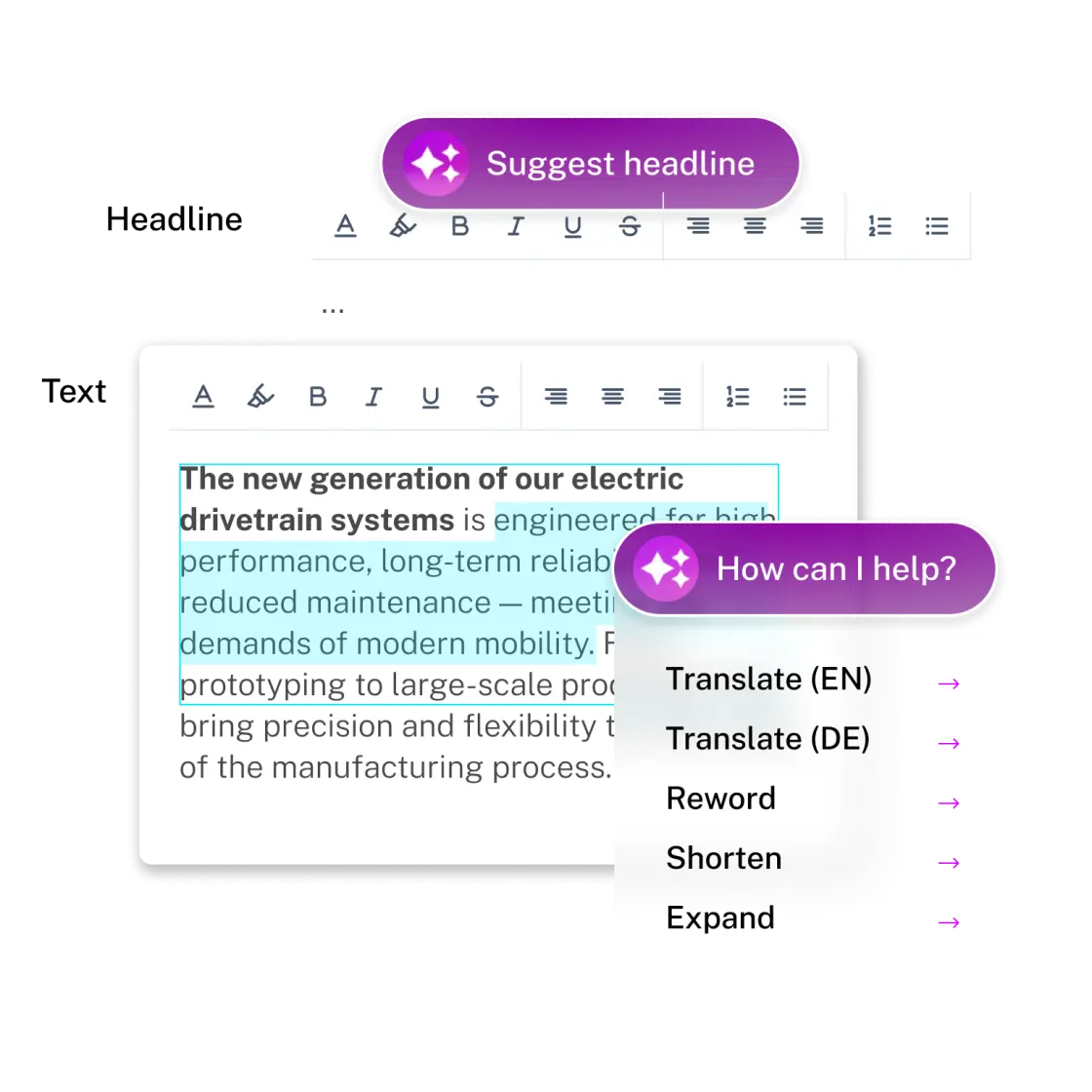
Content Assistant
Leverage AI to efficiently create content – for landing pages, blog posts and more.

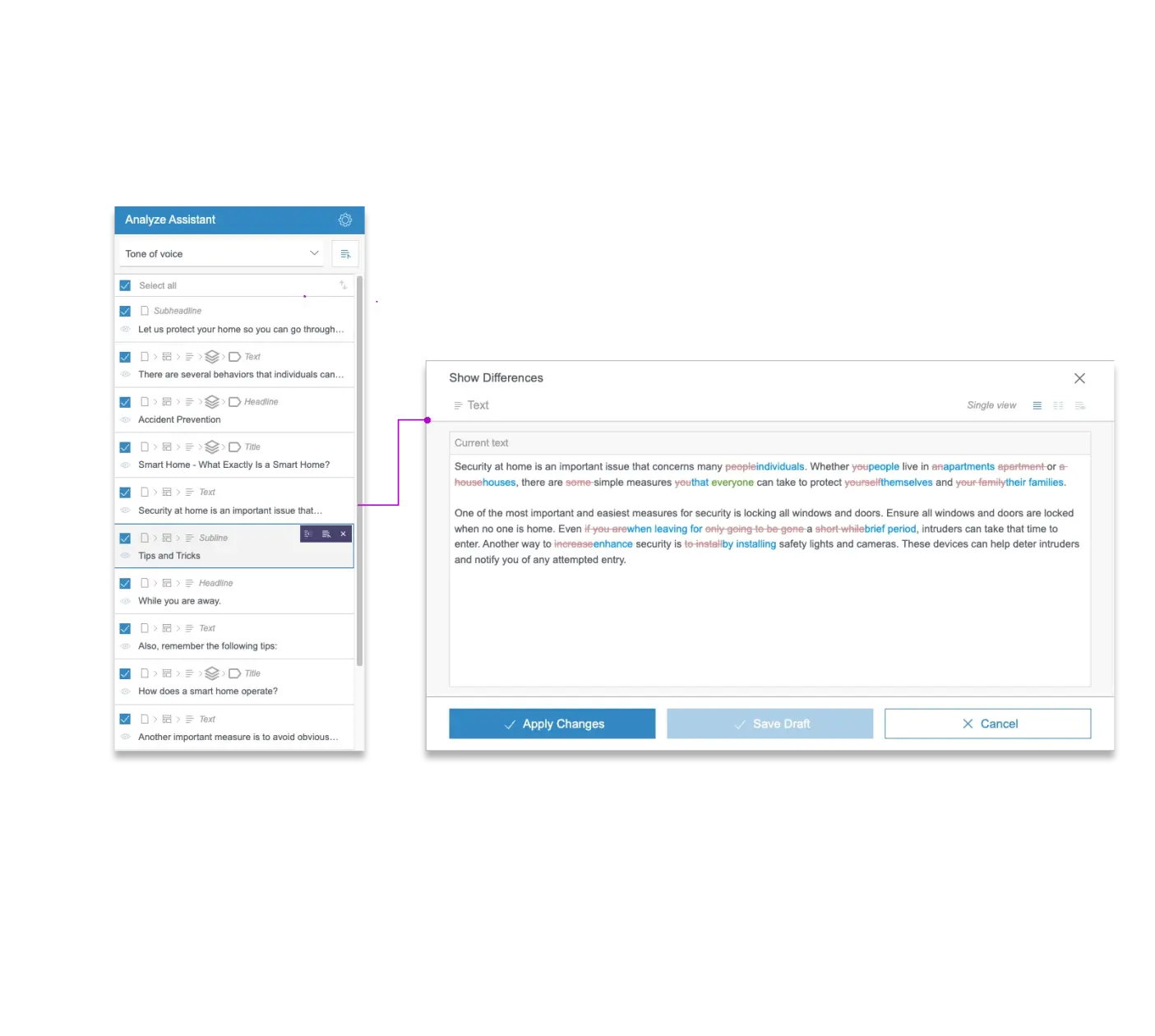
Analyze Assistant
Scan your page against different criteria and have efficiency gains through bulk fixes.

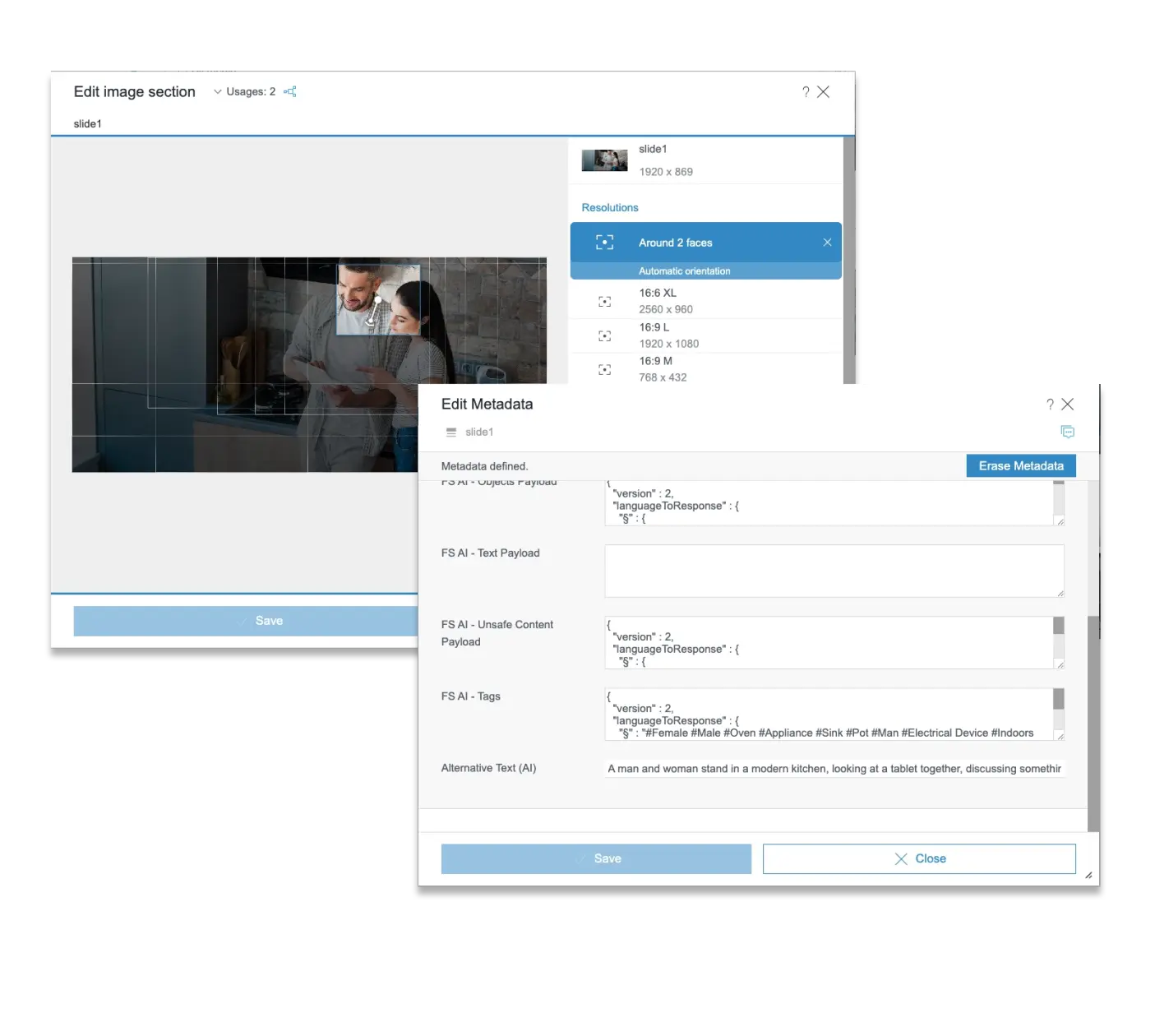
Image Assistant
AI-powered analysis and identification of objects on images, smart cropping, tagging and the generation of alt text.

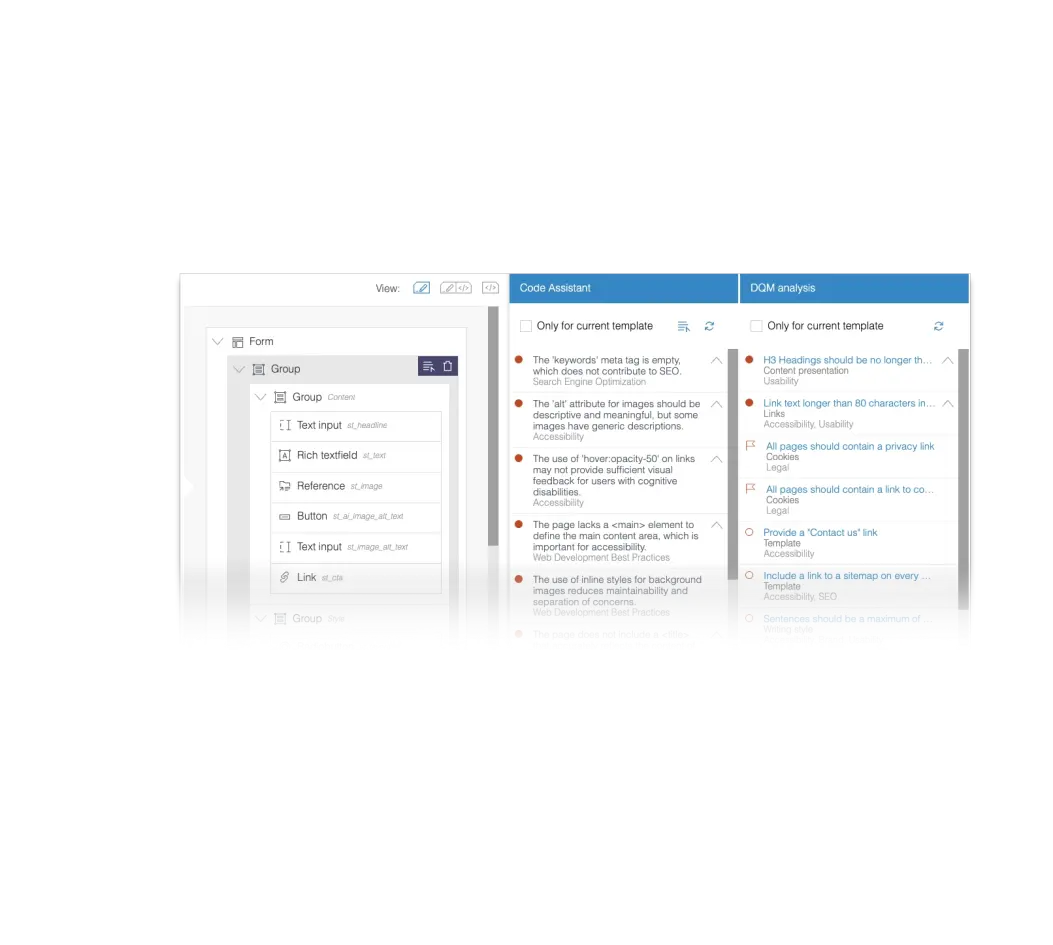
Code Assistant
Accelerate development with AI-powered suggestions on performance, efficiency and accessibility.
The AI Suite empowers marketers, developers, and content teams with intuitive assistants
, seamless API access, and enterprise-ready prompt management
.
Designed to be vendor-neutral
and flexibly tailored for your needs, because your AI strategy should evolve as fast as your business
.

Prompt Management
Manage and reuse AI prompts across teams and projects with full transparency, ensuring enterprise-grade governance for alignment, control, and consistency.

Assistant API
Connect to a custom AI model tailored specifically for your needs in order to address and solve highly specific use cases effectively.
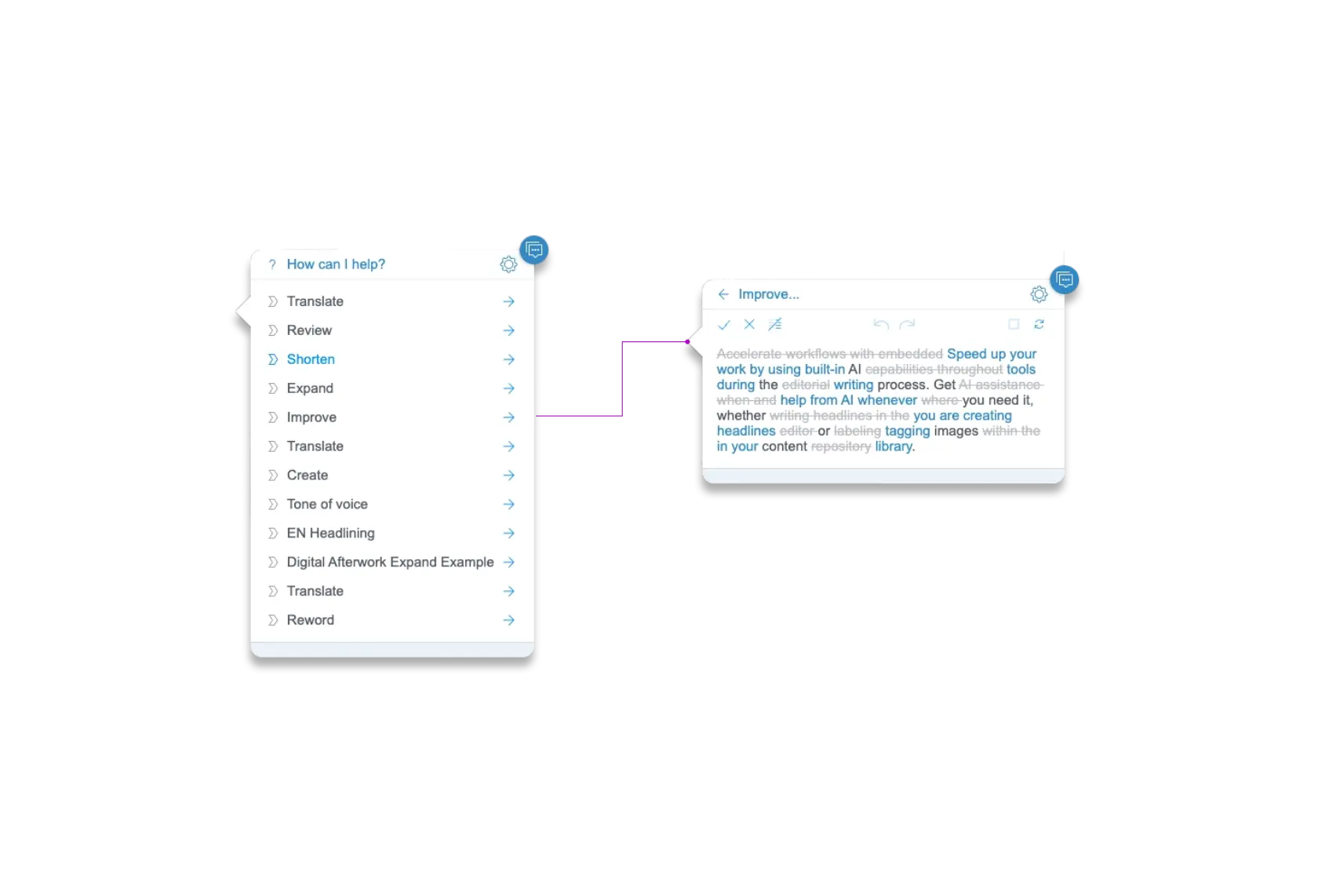
Short Interactive Demo of Content Assistant
This embed is loaded from a third party. Loading it contacts their servers and sets their cookies.
Unlock immediate value
with enterprise-grade AI Assistants
and prepare to step into the future
with AI Agents
designed to collaborate, execute,
and adapt under your guidance
.
Empower Now . Evolve Next .

Your Advantages Today
By offering native integration with multiple AI vendors and a transparent, customer-driven approach, the AI Suite not only outpaces single-vendor solutions but also sets a new benchmark in enterprise readiness.
With comprehensive prompt management in ContentCreator, you gain unprecedented oversight and flexibility, ensuring every AI interaction aligns with your brand and compliance standards - today and as your needs evolve.

Agentic Content Managment
Agentic AI represents the next evolution of intelligent automation - semi-autonomous AI Agents that proactively handle project-related tasks across content, SEO, and code.
These agents go beyond simple prompts, continuously refining, optimizing, and adapting but always keep the human in the driver’s seat.
The result: faster outcomes, fewer manual steps, and more freedom for your teams to focus on strategy and innovation - without ever giving up control.
Connect
With Our
AI Experts
Looking for an enterprise-ready AI solution that evolves with your needs?
Whether you're exploring or ready to try , we’ll help you take the next step.
Let’s discuss how the AI Suite can support your goals and scale with your organization’s digital roadmap.
Contact us for expert insights or a guided look at the Assistant Suite in action.
AI Suite FAQ
What is the AI Suite?
FirstSpirit AI Suite is a family of Gen-AI powered digital aides that accelerate and scale both editorial and development work in FirstSpirit CMS. Content Assistant, Analyze Assistant, Image Assistant, SEO Assistant, Code Assistant, and collaborative AI Agents each unlock workflow efficiency across tasks related to creating and optimizing text, code, and visual content. This includes researching and developing content ideas, refining content to meet editorial standards, automating image tagging and cropping, and reviewing and fixing issues across multiple pages. Unlike other AI alternatives, our tools provide enterprises with unparalleled control and customization, enabling them to efficiently address their specific needs.
How much does the AI Suite cost?
Pricing depends on the number of users and whether or not you bring your own LLM. Existing customers may qualify for custom pricing. New customers can select from standard package options.
Which version of FirstSpirit CMS supports AI Suite?
The FirstSpirit AI Suite is available in FirstSpirit CMS version 2024.2 and higher, for both SaaS and on-premises environments. Certain AI Assistants were added over time and only the latest versions of FirstSpirit CMS are compatible with the most recent innovations in the AI Suite.
How do I activate the AI Suite in FirstSpirit CMS?
The AI Suite needs to be purchased alongside eligible FirstSpirit CMS versions for it to be activated. You can activate it at the project or server level and manage access via user groups. An AI API key is required .
Can I test the AI Suite in a staging or QA environment?
Yes. You can first activate the AI Suit of FirstSpirit CMS in your QA environment and later enable it in production once you're confident in the setup.
Can I restrict the AI Suite access to specific FirstSpirit CMS users?
Yes. Access is managed by user groups, allowing for tight governance and control.
Is the AI Suite of FirstSpirit CMS secure and GDPR compliant?
Yes. It adheres to FirstSpirit CMS’s enterprise-grade security and GDPR data privacy requirements. For example, when OpenAI is used, customer data is not used to train models. We stay up-to-date with the latest security trends and will offer additional API integrations in the future.
Relevant assets:
How does the AI Suite of FirstSpirit CMS integrate with OpenAI?
The FirstSpirit AI Suite connects to OpenAI's API via FirstSpirit CMS’s backend only. Prompts and content are transmitted securely, i.e. no front-end or user metadata is exposed.
What metadata is shared with OpenAI?
OpenAI's API is fairly close to what we offer with around 99.9% (depending on the contract and product we offer an SLA of 99.5% or 99.9%). The uptime of AI services of other vendors, which can also be connected to the AI Suite, offer comparable availability.
Can I use my own OpenAI API key with the FirstSpirit AI Suite?
Yes. You may use your own key. If using FirstSpirit’s key, explicit consent is required.
Which other AI vendors are supported?
In addition to OpenAI, the FirstSpirit AI Suite natively integrates with AzureAI and AWS Bedrock. When setting up the connection, only an AI API key and endpoint are needed. Offering to natively integrate into other vendors is being discussed.
Can I connect my own model?
Yes. This can be done through the Assistant API with minimal project work.
Can I see a demo of the AI Suite in FirstSpirit CMS?
Yes. On-demand videos and live demo sessions are available. Contact us to schedule a personalized walkthrough.
What are typical use cases for the AI Suite in FirstSpirit CMS?
- Generate on-brand content at scale
- Generate meta data such as alt tags and keywords
- Localize pages and campaigns into multiple languages
- Proofread grammar and adjust tone
- Highlight code issues related to performance, accessibility and best practices
- Auto-tag and crop images for SEO
- Optimize content for accessibility and compliance
How do I set up the AI Suite in FirstSpirit CMS?
Can we use our ChatGPT instance via proxy?
No. Custom proxy-based ChatGPT instances are not yet supported.
Can I control access to the AI Suite in FirstSpirit CMS?
Yes. Access can be configured by using user group, giving you full control over who can use the tool within your organization.
Does the use of the AI Suite impact the performance of FirstSpirit CMS?
No. Content is processed externally via OpenAI with no observed performance impact on FirstSpirit CMS.
Can I disable or uninstall the AI Suite of FirstSpirit CMS?
It can be deactivated at any time via FirstSpirit CMS settings. However, it is a built-in feature and cannot be fully uninstalled like a standalone module.
What languages does the AI Suite support?
It supports all major global languages supported by OpenAI, including English, German, French, Spanish, Italian, Japanese, Chinese, and more.
Can the AI Suite in FirstSpirit CMS reflect your brand guidelines or tone of voice?
You can configure prompts or templates based on brand voice guidelines to ensure consistent tone across content.
Can I customize the prompts used by the AI Suite in FirstSpirit CMS?
Yes. Given they have the required permissions, users can edit prompts. Prompts apply to a single project, multiple ones or even all projects, depending on the settings .
Does the AI Suite in FirstSpirit CMS generate content from scratch or rewrite existing content?
Both. You can prompt the AI Assistants of the AI Suite to generate original content or optimize, localize, or refine existing drafts.
Can the AI Suite in FirstSpirit CMS support structured content like product descriptions or metadata?
Yes. You can use it to populate structured fields in CMS templates, including metadata, product specs, and SEO text.
How does the AI Suite in FirstSpirit CMS support SEO best practices?
It can generate optimized headlines, metadata, and body content aligned with your keyword strategy. It also supports image tagging and ALT text generation.
Can the AI Suite in FirstSpirit CMS help with accessibility compliance?
Yes. It supports WCAG-compliant content creation and generates clear language alternatives.
Can I review and approve AI-generated content before publishing?
How do the Assistants of the AI Suite in FirstSpirit CMS help maintain brand consistency?
The AI Suite in FirstSpirit CMS preserves brand consistency by centralizing prompt management and allowing tailored AI actions, ensuring content creation always reflects your brand’s tone, guidelines, and quality benchmarks. Its Analyze Assistant also evaluates pages against your defined standards - like voice, readability, and SEO - so deviations can be corrected before content goes live.
What safeguards prevent hallucinated or inaccurate content?
We highly recommend always reviewing and checking any AI generated content. The AI Suite in FirstSpirit CMS Suite also supports prompt templates designed to limit factual drift.
Is fine-tuning or custom model training available?
Custom prompt tuning is supported. Full fine-tuning of AI models is currently not offered.
Can it support multi-brand or multi-site CMS environments?
Yes. You can activate and configure assistants per your site, enabling consistent governance across multiple properties.
Can I monitor usage of the AI Suite in FirstSpirit CMS?
The history of your project also shows the AI-related actions. Those carry the same amount of detail as non-AI actions and can be – if needed – reverted.
Are analytics or insights available for the use of the AI Suite in FirstSpirit CMS?
In your projects history you can see who used the AI assistants, when, and for what task. This can help assess adoption and ROI.